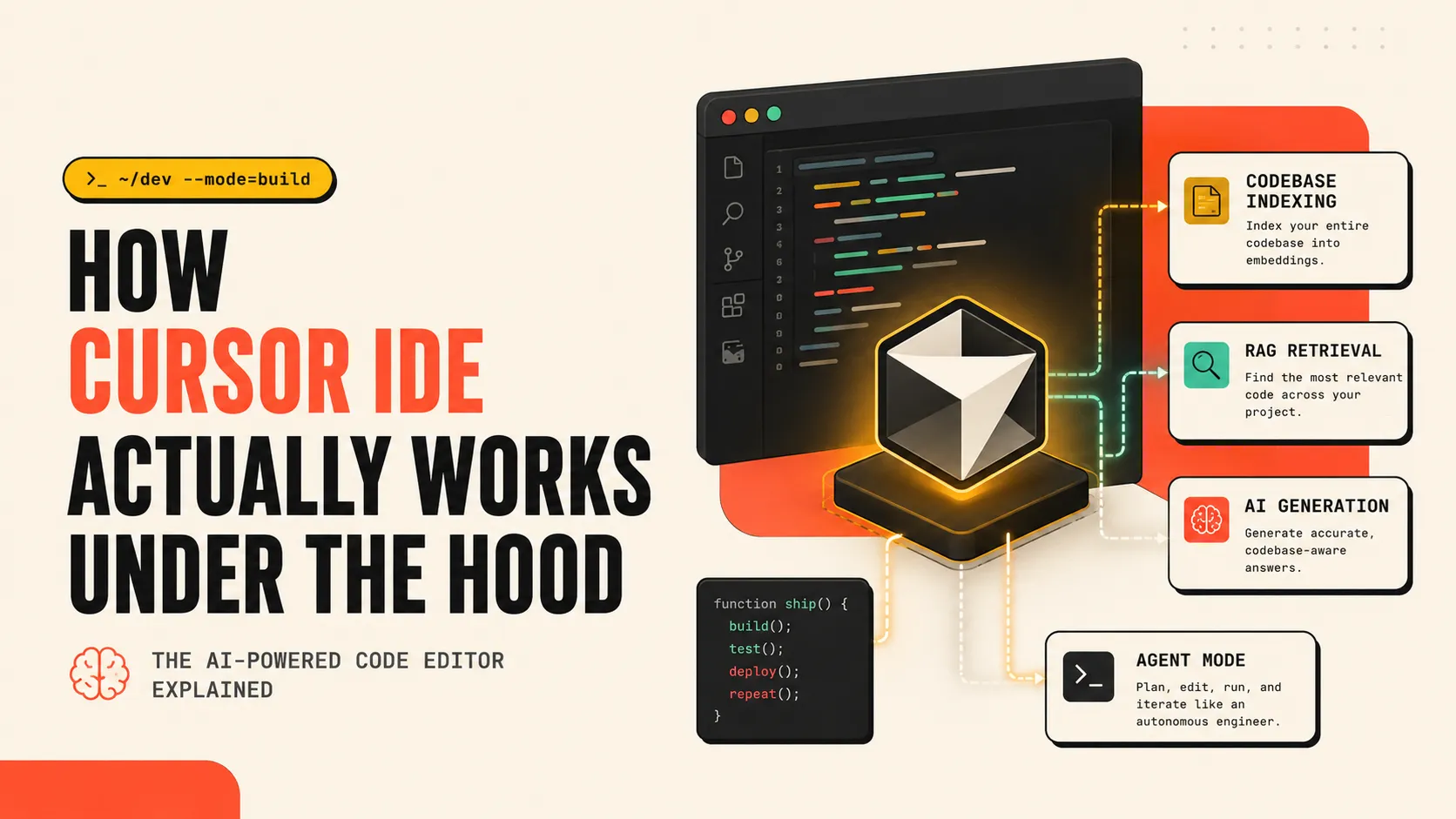
How Cursor IDE Actually Works Under the Hood ?
By Abhinav Singh, Software Engineer
Let me start with a very honest confession.
When I first opened Cursor, I thought:
"Oh nice, it's just VS Code with ChatGPT glued on top."
I was wrong.
Very, very wrong.
Cursor is not a plugin. Cursor is not an extension. Cursor is not "AI autocomplete with better UI."
Cursor is a completely different architecture for how an IDE should work in the age of AI.
And once I understood how it actually works under the hood - my mind was genuinely blown. 🤯
So let's break it down. From scratch. The real way.
🤔 First, What Even Is Cursor?
Cursor is an AI-native code editor built by a company called Anysphere.
Here's the twist - it's built on top of VS Code.
So when you open Cursor, it looks familiar:
- Same layout
- Same extensions
- Same keybindings
- Same themes
But everything under the hood? Completely rebuilt.
Think of it like this:
VS Code is a Toyota. Cursor took the same body, but swapped the engine with an F1 car engine. 🏎️
The outside looks the same. The inside is something else entirely.
😩 The Problem Cursor Is Solving
To understand Cursor, you first need to understand the problem.
Every AI coding tool before Cursor - GitHub Copilot, Tabnine, etc. - worked as a VS Code extension.
And extensions have a fundamental limitation.
When you ask Copilot a question, it can see:
- The file you have open
- Maybe a few other open tabs
- That's it.
It has no idea about the rest of your codebase.
So you'd ask:
"Hey, add authentication middleware to this route."
And it would give you some generic JWT code it half-remembered from StackOverflow.
It had no idea:
- How your auth is structured
- Which utils you already have
- What naming conventions you follow
- Where your config lives
It was basically:
A very confident intern who hasn't read your codebase. 😭
This is the context problem.
Your codebase has thousands of files. Even frontier models like Claude and GPT-4 have context windows of ~200K tokens. A medium-sized production codebase? Easily 10 million tokens.
So the question Cursor is answering is:
How do you give an AI meaningful understanding of a codebase that's 50x larger than its context window?
The answer is genius.
🏗️ The Architecture - How Cursor Actually Works
Let me walk you through exactly what happens when you open a project in Cursor.
Step 1: Codebase Indexing 📚
The first thing Cursor does when you open a project?
It reads your entire codebase.
Not to send it all to the AI - that's impossible. Instead, it does something much smarter.
It converts every file, every function, every class into a vector embedding.
Now what's a vector embedding?
Imagine you could describe every piece of code not as text, but as a point in space. Code that does similar things → points that are close together. Code that does completely different things → points far apart.
That's a vector embedding.
// This function
function authenticateUser(token) { ... }

// Gets converted to something like:
[0.82, -0.14, 0.67, 0.91, ...]  ← a list of numbers representing its meaning
Cursor stores these embeddings in a vector database (they use one called Turbopuffer).
Not the raw source code. The meaning of the source code.
This is called building the Semantic Index.
And it's the single most important thing Cursor does.
Step 2: When You Ask Something - RAG Happens 🔍
Now you open chat and type:
"Where do we handle payment failures?"
Here's what happens behind the scenes:
- Your question also gets converted to a vector embedding
- Cursor does a similarity search in the index - "find me code chunks whose meaning is close to this question"
- It finds the most relevant files and functions across your entire codebase
- It only picks the top few relevant chunks - maybe 20-30 snippets
- It stuffs those into the AI's context window along with your question
- AI gives you an accurate, codebase-aware answer
This pattern is called RAG - Retrieval Augmented Generation.
And it's why Cursor feels like it "knows" your project.
It doesn't know everything. It's just very good at finding the right parts quickly.
Think of it like this:
The AI is a brilliant developer. Cursor is the brilliant assistant who opens exactly the right files on their screen before they answer.
Without Cursor → AI is answering blindly. With Cursor → AI is answering with the right code already in front of it.
Step 3: Tab Autocomplete - The Fast One ⚡
Now, you might notice that autocomplete in Cursor is different from chat.
It's instant. Like, scary instant.
That's because they use a completely separate, smaller model just for autocomplete.
Not GPT-4. Not Claude. A fast, lightweight model trained specifically to predict what you're about to type next.
It watches:
- What you just wrote
- What's around your cursor
- Your recent edit history
And it predicts your next move.
This is called speculative decoding - it's literally trying to finish your thought before you finish thinking it.
It's one model for chat (big, smart, slow). Another model for autocomplete (small, specialized, fast).
Two different jobs. Two different tools.
Step 4: Agent Mode - Where It Gets Wild 🤖
This is where Cursor goes from "AI assistant" to "AI colleague."
In Agent Mode, Cursor doesn't just answer your question.
It:
- Plans what needs to be done
- Opens files on its own
- Reads your code
- Writes changes across multiple files
- Runs your terminal commands
- Reads error outputs
- Fixes mistakes
- Runs it again
It's a full autonomous loop.
You say:
"Add dark mode support to the app."
And Cursor:
- Looks at how your theming currently works
- Finds where colors are defined
- Updates your CSS variables
- Updates your toggle component
- Adds the localStorage persistence
- Tests if it compiles
- Fixes the TypeScript error it caused
All by itself.
This is called an Agentic Loop - the AI acts, observes the result, and acts again until the task is done.
🧩 The VS Code Fork Advantage
Here's something people miss.
Cursor isn't a plugin on top of VS Code.
It's a full fork - meaning they took VS Code's entire source code and rebuilt it with AI as a first-class citizen.
Why does this matter?
Because a plugin can only do what the VS Code API allows. A fork can do anything.
So Cursor can:
- Watch file saves and re-index in real time
- Hook into the language server (LSP) to understand your types and errors
- Run terminal commands and read their output
- Apply multi-file diffs with a clean preview UI
- Show you exactly what the AI changed, file by file
These aren't "features". They're things that are architecturally impossible in an extension-based tool.
🧠 The Context Window - Cursor's Smartest Trick
Let's talk about the hardest problem: what do you actually send to the AI?
You can't send your whole codebase. Too big. You can't just send the current file. Too little.
Cursor's solution is a context assembly pipeline:
| Source | What it adds |
|---|---|
| Current file | Where you are right now |
| Cursor position | What you're editing |
| Recently opened files | What you've been working on |
| Semantic search results | Most relevant code from codebase |
@file / @folder mentions | What you explicitly added |
| Error messages | What just broke |
.cursorrules | How your project expects the AI to behave |
Cursor stitches all of this together intelligently before every single AI call.
It's not just "send the file." It's a carefully assembled context package - always within the model's limit, always maximally relevant.
🛡️ Privacy - "But Bro, My Code..."
I know what you're thinking.
"It's reading my entire codebase and sending it somewhere??"
Fair concern. Here's what actually happens:
- For autocomplete: Your code is encrypted, sent for inference, used, and immediately discarded. Never stored.
- For codebase indexing: Cursor stores embeddings (the math vectors), not your actual source code. Nobody can reconstruct your code from a vector.
- For enterprise plans: You can opt for zero data retention entirely.
The raw source files?
They live on your machine. Cursor sees their meaning, not their content.
📊 Before vs After - The Real Difference
| Thing | GitHub Copilot (extension) | Cursor (fork) |
|---|---|---|
| Knows your codebase | ❌ Only open files | ✅ Entire project semantically indexed |
| Multi-file edits | ❌ One file at a time | ✅ Atomic diffs across many files |
| Runs terminal commands | ❌ No | ✅ Yes, reads output too |
| Autocomplete model | Generic | Trained on your edit patterns |
| Agent mode | Basic | Full autonomous loop |
| Context assembly | Whatever's open | Smart RAG pipeline |
🤓 The Concepts Behind Cursor (Quick Glossary)
In case some terms were new:
Vector Embedding - Converting text/code into a list of numbers that captures its meaning. Similar things have similar numbers.
Semantic Search - Searching by meaning, not by exact keywords. "Where do we handle payments?" finds processTransaction() even if the word "payment" isn't in that function name.
RAG (Retrieval Augmented Generation) - A pattern where you search for relevant information first, then give it to the AI as context before asking your question.
Agentic Loop - AI acts → observes result → acts again → repeats until task complete. Not just answering, but doing.
LSP (Language Server Protocol) - The thing that gives your editor type information, autocomplete, and error highlighting. Cursor hooks into this so the AI understands your types and errors too.
💬 Final Thoughts
When I understood how Cursor actually works, one thing became clear:
This is not a feature. This is a new paradigm.
The old way: You write code, occasionally ask AI a question.
The new way: AI has semantic understanding of your entire project, runs autonomously, and you review its work.
The developers who are thriving with Cursor aren't using it as an autocomplete tool. They're using it as a thinking partner who knows their codebase better than most teammates do.
And that's only possible because of what's happening under the hood:
- Semantic indexing instead of keyword search
- RAG instead of context stuffing
- Agentic loops instead of one-shot answers
- A forked IDE instead of a plugin
So next time Cursor suggests exactly the right thing across three files you didn't even have open -
Now you know why. 😌